1 Plan
Every visit, scheduled
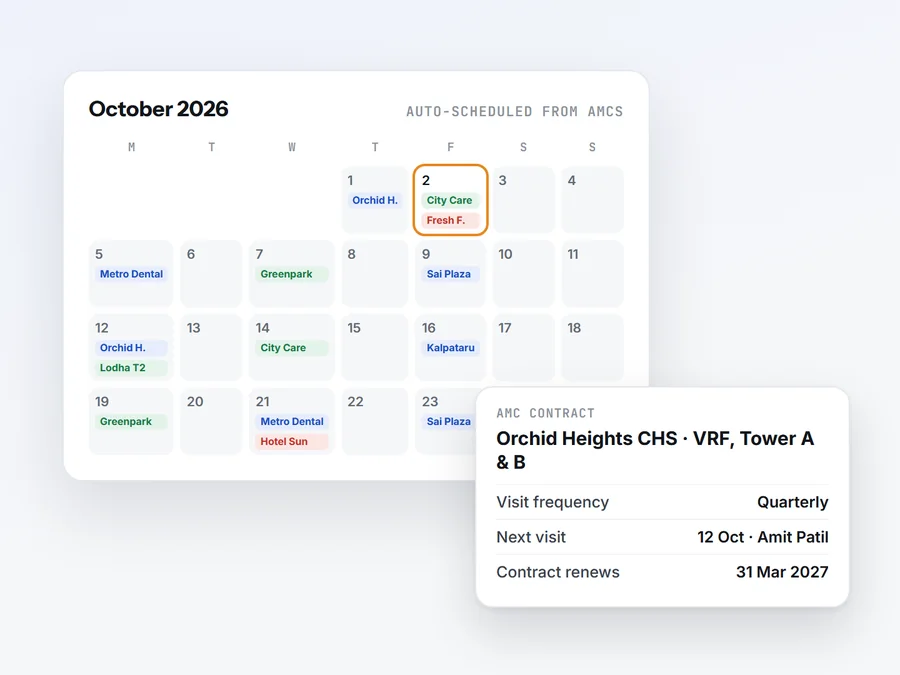
Add customers and AMC contracts once. Paimal puts every AMC and preventive-maintenance visit on the calendar for you, reminds you before each contract ends, and breakdown calls are assigned in seconds.
Engineers get today’s jobs on their phone. AMC visits are planned for you. Every job becomes a GST bill your customer can pay by UPI. Built in India for service and maintenance companies.

The office plans on the web. Engineers work from the Android app. Everything meets in one place.
Add customers and AMC contracts once. Paimal puts every AMC and preventive-maintenance visit on the calendar for you, reminds you before each contract ends, and breakdown calls are assigned in seconds.
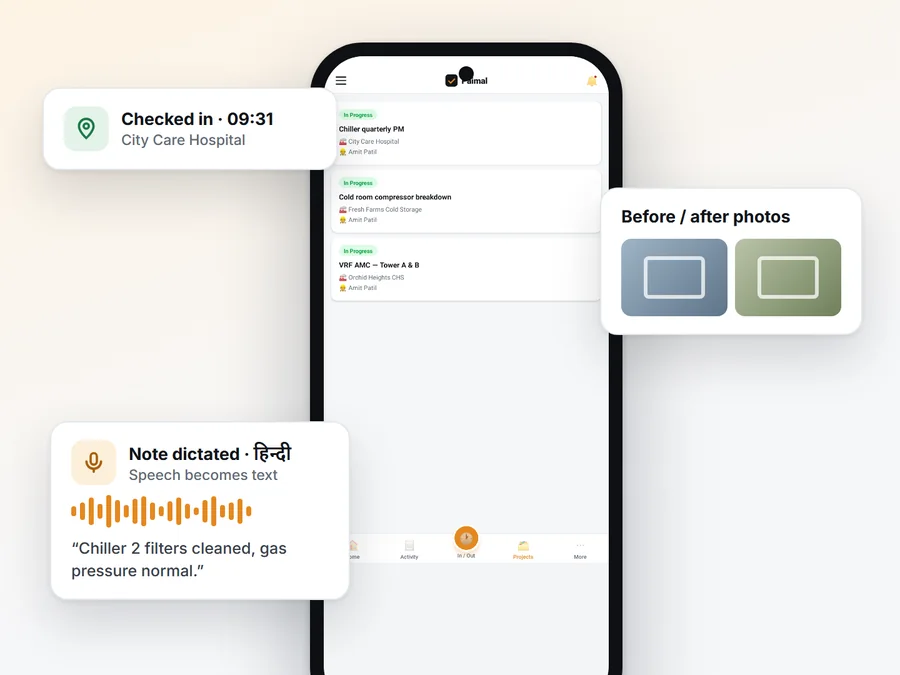
Each engineer sees their day, checks in at the site, and logs hours, parts and before/after photos. Notes can be dictated in 9 Indian languages, and it all works with no signal.
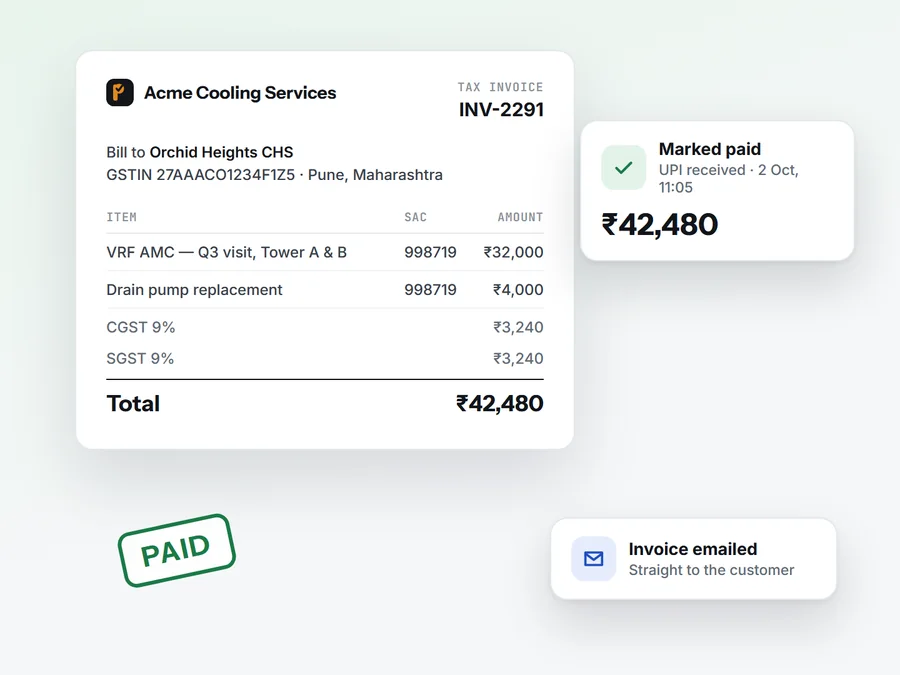
Logged work turns into GST quotes and invoices you email to the customer. Mark them paid when the UPI or bank transfer lands, and always know what is still due.
Real screens from a demo HVAC company. Service, sales, HR and billing in one app, set up in an afternoon.
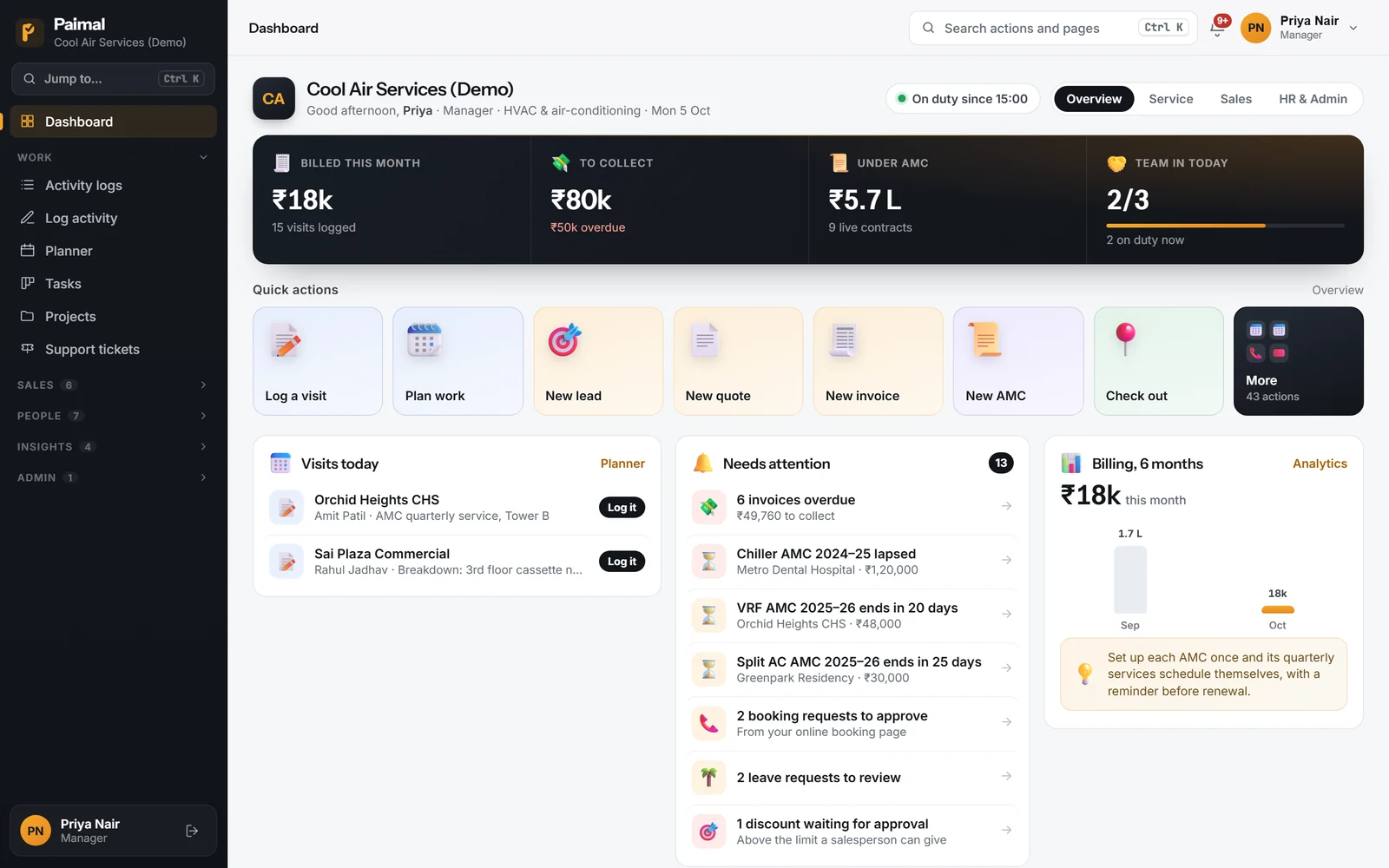
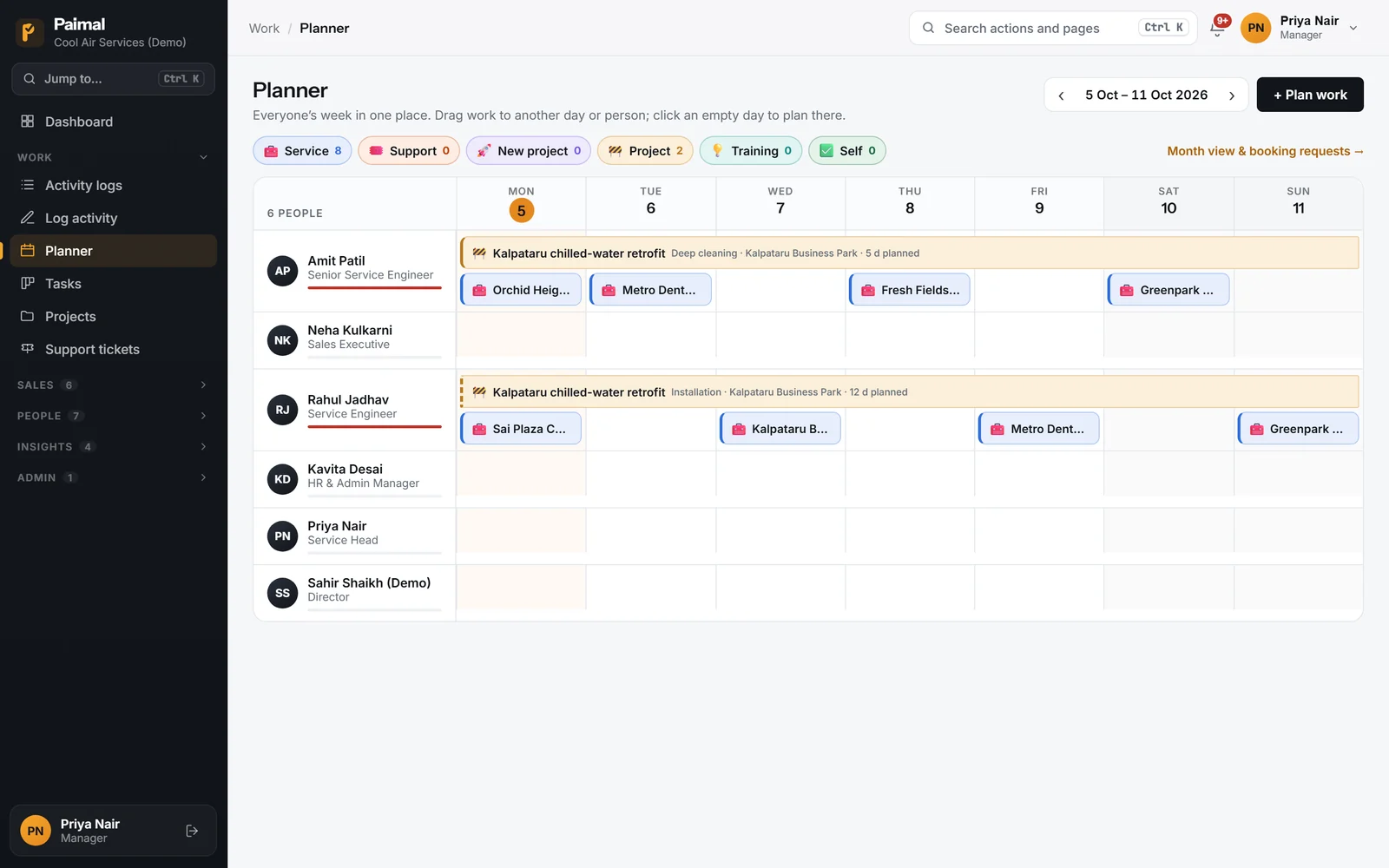
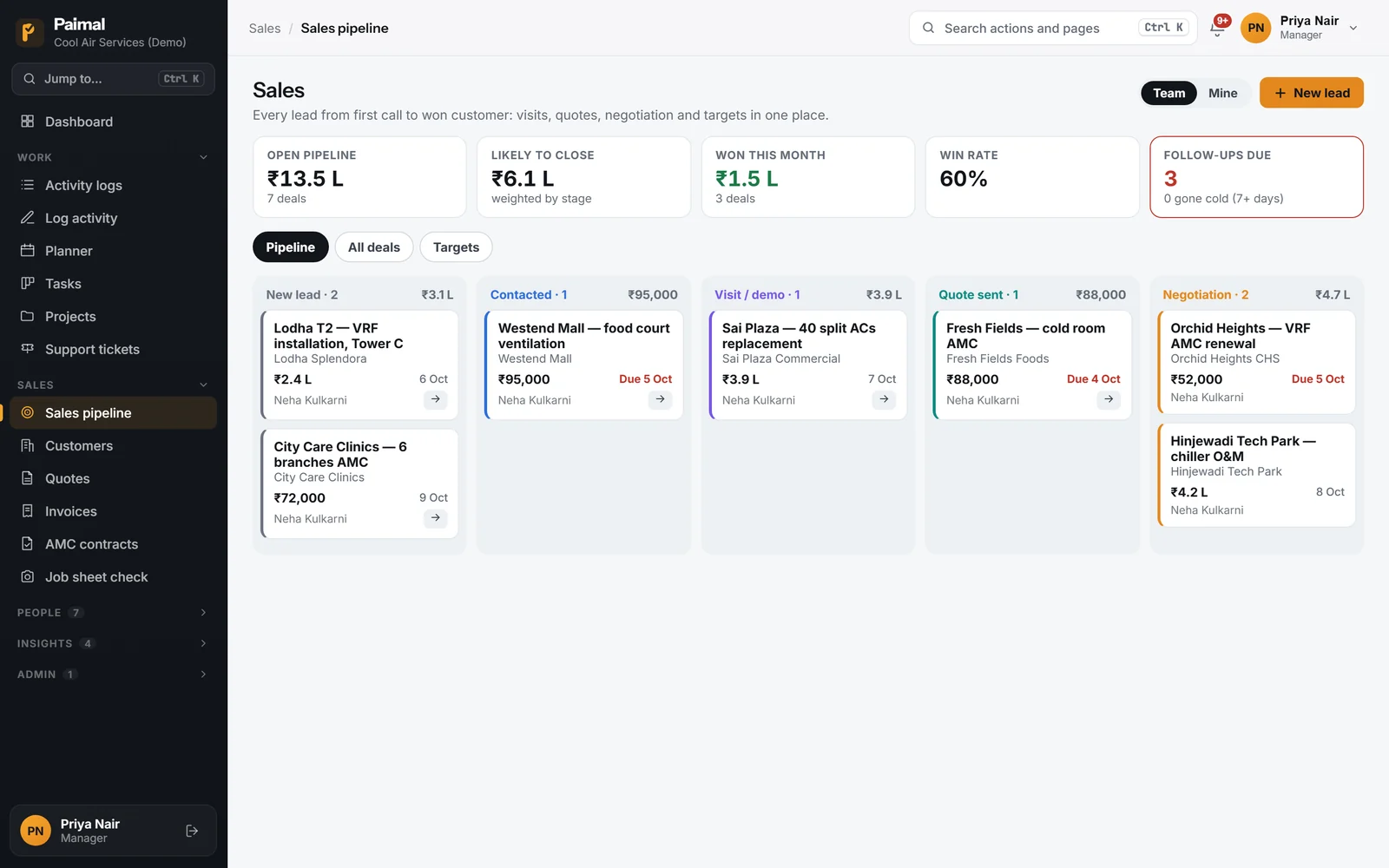
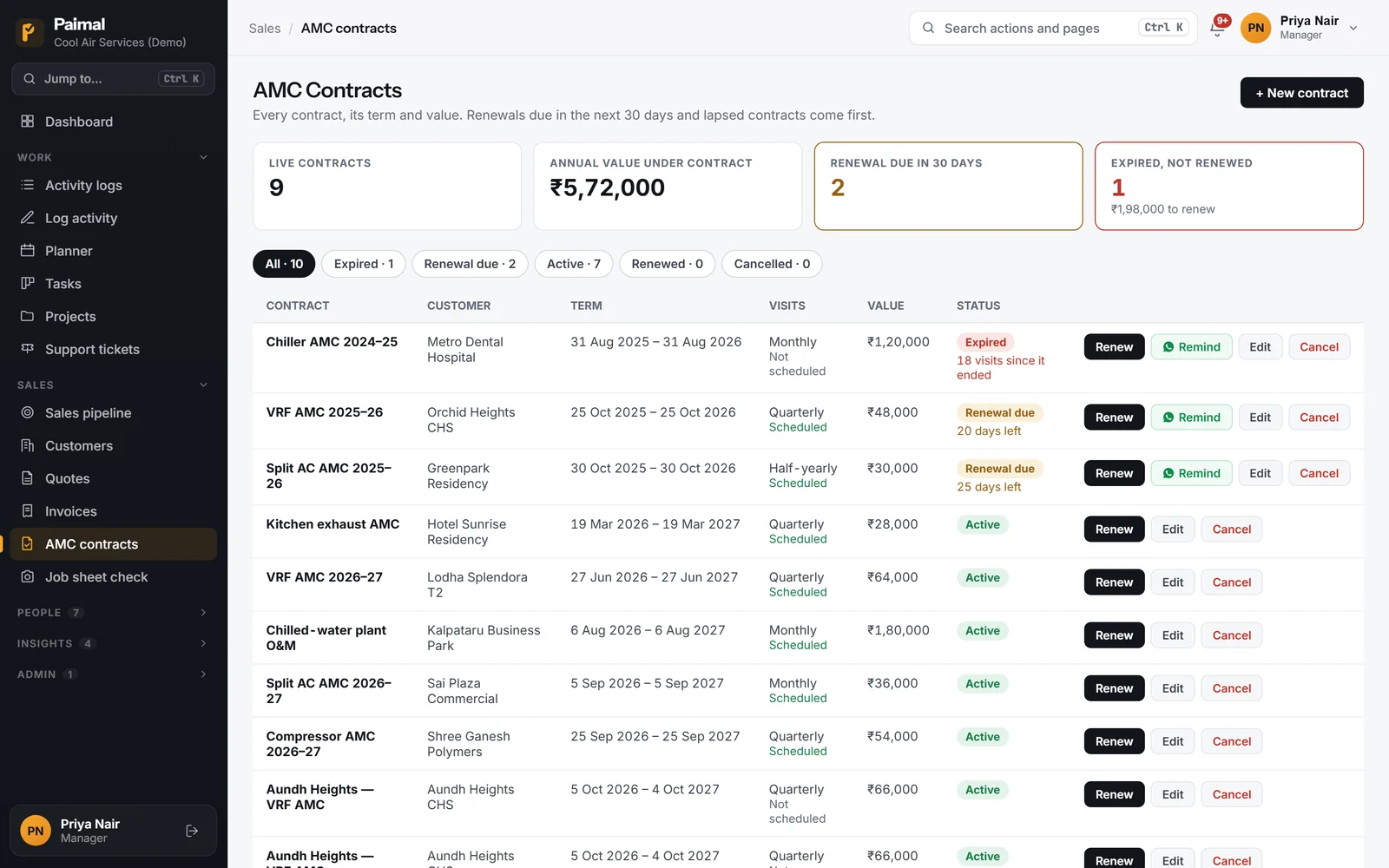
From a WhatsApp-and-Excel mess to visits that schedule themselves, engineers who log on site, and invoices that go out the same day.
From OEMs and engineering contractors to AMC companies. Pick yours to see your visits, your equipment and your paperwork on Paimal.
Stop stitching together a scheduling app, a billing tool, a spreadsheet and a WhatsApp group. Paimal covers the whole loop — from assigning a job to getting paid for it.
Your engineers log every site visit, service call, and hour in seconds — from web or the mobile app, online or off.
Everyone’s week on one board: service visits, breakdown calls, projects and training. Drag work to another day or engineer, and let AMC contracts (weekly to yearly) schedule themselves.
Leads to won customers: visits, quotes, negotiation with discount approval, and booking targets for each salesperson. Scan a visiting card to add a lead.
A living history of every customer, site and installed machine. Send a visit report or a renewal reminder on WhatsApp in one tap.
Turn completed work into GST quotes and invoices, email them to the customer, and track what is paid and what is still due — no separate billing tool.
Extra hours after a shift cover a late start the next day; what is left becomes banked hours, overtime pay or comp-off under your policy. Flexible shifts, leave, holidays and payroll in the same app.
A one-tap daily digest summarises the day in plain English, flags recurring faults and expiring warranties, and drafts customer-ready updates — on top of real-time billing and performance analytics.
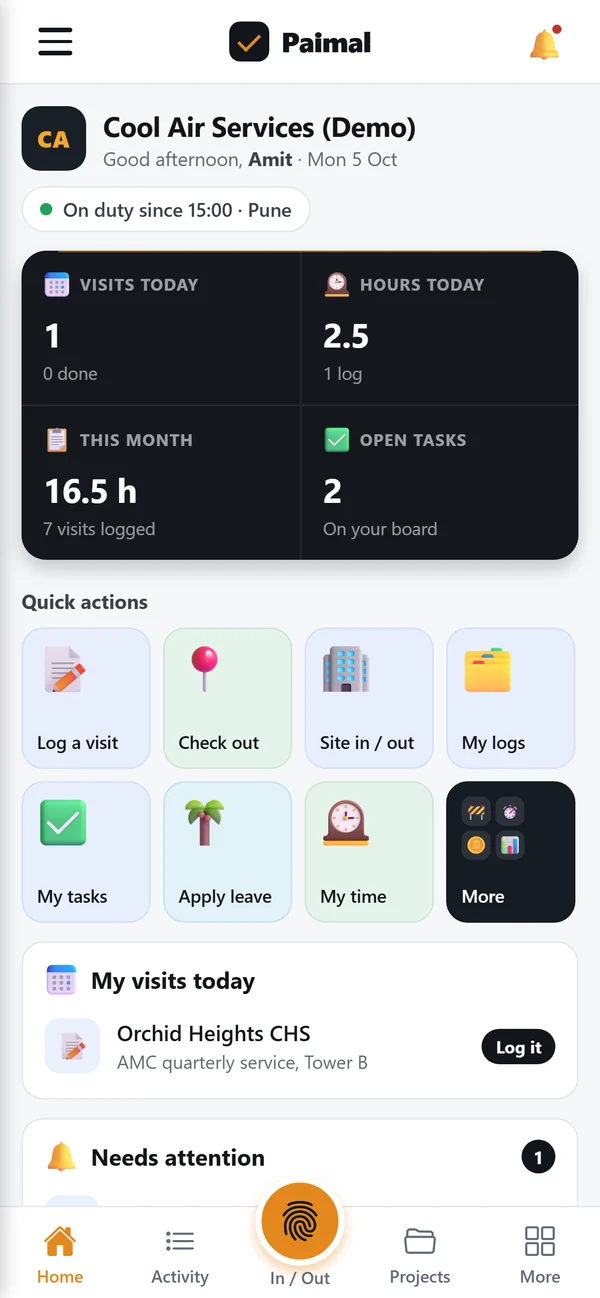
Managers plan on the web; engineers work from a phone. The Paimal app shows each person their day the moment they open it — and gets out of the way.
Logs, photos and check-ins keep working with no signal — everything syncs the moment they’re back online.
Engineers speak their notes in any of 9 Indian languages instead of typing on a tiny keyboard.
Fast to load and easy to use on the basic phones your field team actually carries.
The office works in any modern browser. Engineers install the Paimal app from Google Play and sign in with their Paimal account.
An AI agent on every page of the web app. Ask it a question, have it look something up, hand it a messy list, or, on Pro, tell it to plan a visit. You approve every change.
It knows your own setup, says what to do next and links you to the right screen.
Customers and their machines, the week’s plan, open tasks, who is in today, what waits for your approval, unpaid invoices and AMC contracts up for renewal.
Directors and Managers can attach an Excel or CSV file, or a photo of a register: customers, equipment or projects, and staff lists for Directors. It shows what will come in and which rows it will skip, then imports after you confirm. New staff get a link to choose their own password.
Plans, moves and cancels visits, creates and closes tasks, adds customers and machines, updates contact details, applies for leave and approves it. You see each change as a card and nothing happens until you tap Confirm.
It proposes; you decide. A card runs once, only for the person it was made for.
It works as the person asking, so an engineer can’t do through it what only a manager can.
Choose who can use it, or switch it off, and see the changes it made, by whom and when.
No invoices or customer messages go out, it takes no payments and nothing is deleted through it.
Monthly questions are shared across your team and start again on the 1st; a photo of a list counts as 3. A list can have up to 2,000 rows (the Import page takes up to 5,000) and a photo up to 5 MB. Ask Paimal runs in the web app at app.paimal.com; it is not in the Android app yet.
Paimal prints the right document for your GST position, so a visit you find unbilled becomes an invoice your customer’s accounts team can book. Your CA should still confirm your registration and rates.
A plain invoice with no GST on it — a business below the threshold that has not registered cannot charge GST.
A tax invoice with your GSTIN, the buyer’s GSTIN, SAC codes and place of supply: CGST + SGST in your state, IGST outside it.
A bill of supply with no GST and the declaration the law asks for.
Photograph the job sheets or visit reports your engineers filled in. Add your invoice register and Paimal checks every visit against it, values anything unbilled at your own rate, and tells you why.
Used to value unbilled visits. You know your rate — we don’t guess it. A day is counted as 8 hours.
A CSV export of your sales or service invoices (Excel: File → Save As → CSV) with a customer-name column and an invoice or posting date. Visit reports don’t say whether a visit was billed — your register does. It is read on this device and never sent.
Move the sliders to match your team. If even a few chargeable visits a month never reach an invoice, that is money your engineers earned and you never collected.
An illustration with your own numbers, not a promise. To measure it on real paperwork, run the free job-sheet check.
Pay only for the people who log in. For the first 50 companies: first month free, and the founding price when you pay for a year.
One unbilled visit recovered a week is about 4.3 visits a month. At ₹3,500 a visit that is ₹15,155 a month, which covers Pro for a team of 37.
₹3,500 is an illustration, not a benchmark — use your own figure.
Every plan starts with a free trial, no card needed: 30 days for the first 50 companies, 14 days after that. Set up AutoPay in the last week of the trial and nothing is charged until it ends. Founding members get a full refund if they are not happy within 30 days of their first yearly payment.
Made in India for Indian service companies: rupee pricing, GST invoices, Indian languages, and monthly billing you can cancel any time.
Every request is scoped to your company, and company isolation is checked on every data access. Export your records as CSV whenever you like.
Tax invoice, bill of supply or plain invoice, depending on your GST position. Your CA should confirm which applies to you.
Every invoice carries a code your customer can check at paimal.com/verify, so a forged bill is easy to spot.
Basements, plant rooms and rooftops. The Android app saves the log offline and sends it when the signal returns.
Notes can be dictated in 9 Indian languages, so the report gets written even by people who hate typing.
Every trial gets a free 15-minute setup call with the founder. Founding customers get their Excel data imported for them.
Paimal is field service management software for Indian service companies. The office schedules visits and manages customers, AMC contracts, quotes and invoices on the web. Engineers use the Android app to see their jobs, check in at the site and log the work.
Companies that send engineers or technicians to customer sites: HVAC and AC service, lifts, fire safety, DG sets, solar O&M, RO and water treatment, CCTV, medical and industrial equipment. It fits teams from 3 to 50 people (bigger teams: Enterprise).
Most teams are running the same day. Create your company, invite your people, and import customers from a spreadsheet with the bulk CSV import. Every trial also gets a free 15-minute setup call.
They need an Android phone. The app keeps working with no signal: logs, photos and check-ins are saved on the phone and sync when it is back online. Engineers can dictate notes in 9 Indian languages instead of typing.
Yes. Paimal creates GST quotes and invoices from the work your team logs, emails them to the customer, and lets you mark them paid when the UPI or bank payment arrives, so you always know what is still due. Each invoice follows your GST position (registered, not registered or composition); your CA should confirm your position.
Starter is ₹399 and Pro is ₹699 per person a month. Starter covers up to 25 people and Pro up to 50. The first 50 companies (the Founding 50) get a 30-day free trial and pay ₹299 for Starter or ₹399 for Pro when they pay for a year, and keep that price on every renewal. Everyone else gets a 14-day free trial. No card is needed to start.
In the last week of the trial, the Billing page asks you to set up AutoPay. Nothing is charged until the trial ends. You can also pay by UPI, card or netbanking, monthly or for a year. Founding members get a full refund if they are not happy within 30 days of their first yearly payment.
An AI agent in the Paimal web app. On every plan it answers how to do things, looks up your customers, planner, unpaid invoices and AMC renewals, and lets Directors and Managers import a list of customers, equipment or projects (staff lists: Directors) from an Excel or CSV file or a photo. On Pro it also plans, moves and cancels visits, creates and closes tasks, adds customers and machines, updates contact details, and applies for or approves leave. It shows each change as a card and nothing happens until you tap Confirm. It works within the role of the person asking, and your Director chooses who can use it and sees the changes it made. Starter includes 50 questions a person a month and Pro 200, shared across your team; when they run out, it is back on the 1st. To keep it fair, one person can ask up to 60 questions a day, and a company can make up to 50 changes and 30 list uploads a day. It runs in the web app, not yet in the Android app. It is AI, so it can make mistakes.
Only what it needs to answer the person asking, within what their role can already see: their question, a summary of your setup, and the records it looks up. For an uploaded spreadsheet it sees the column headings and a few sample rows; the rest is checked on our own servers. A photo is read once and not kept; the rows read from a list wait for you to confirm the import and are then deleted. Our AI provider is Anthropic. Details are in our privacy policy.
Every request is scoped to your company. Your data is never exposed in the browser, and company isolation is checked on every data access. You can export your visit logs and hours as CSV, and ask us to delete your account at any time.